

Personalizing Microsoft Dynamics 365 F&O – How to Customize Your ERP System Without IT Support?
Modern ERP systems can be overwhelming with their amount of data and features. An overloaded interface slows down processes, frustrates the team, and leads to costly mistakes. Fortunately, Microsoft Dynamics 365 Finance & Operations has a ready answer for this.
The system offers powerful, built-in personalization mechanisms that let you regain control of your workspace in minutes. What is the best part? You can do it completely on your own – without writing a single line of code, without helpdesk tickets, and without involving the IT department. See how to tailor the ERP system to your actual needs with just a few clicks.
Why Is It Worth Changing the Interface in D365?
Personalizing Microsoft Dynamics 365 F&O allows you to:
- Save time – no repeating filters,
- Display only the data that is truly needed,
- Organize forms and lists,
- Create your own work views,
- Increase ergonomics and user comfort.
Importantly – all these changes can apply only to your account and do not affect the work of other users.
What Are the Features in Dynamics 365 Finance & Operations?
1) System-wide settings (for your account)
- Color theme
- Time zone
- Default company (legal entity)
- Notification preferences
2) Creating custom views (saved views)
In standard Dynamics 365 forms, many sections are prepared to handle every possible business scenario. This is great from the perspective of system flexibility, but not necessarily from the perspective of daily work. If you need to enter three key pieces of information, you have to dig through a dozen tabs, most of which will never be needed. Every scroll, every search for the right field, every opening of an unnecessary section means lost seconds that turn into hours over the course of a day.
Moreover, the more fields are visible, the greater the chance that you will click in the wrong place, enter data in the wrong spot, or skip something important. An excess of information not only slows you down but also increases the number of errors – and these later need to be corrected, which generates additional work.
That is exactly why personalizing views in Dynamics 365 is so important. You can create a form or list tailored to a role, and suddenly everything becomes simpler. You only see the fields you need. Sections you don’t use disappear. The order of information corresponds to the natural workflow of your tasks. Creating custom views can take place at the list level (e.g., All vendors) and the details form level (Vendor details). Each of the views can be changed for individual needs.
List level view
Standard view:

Created view:

Details form level view
Standard view:
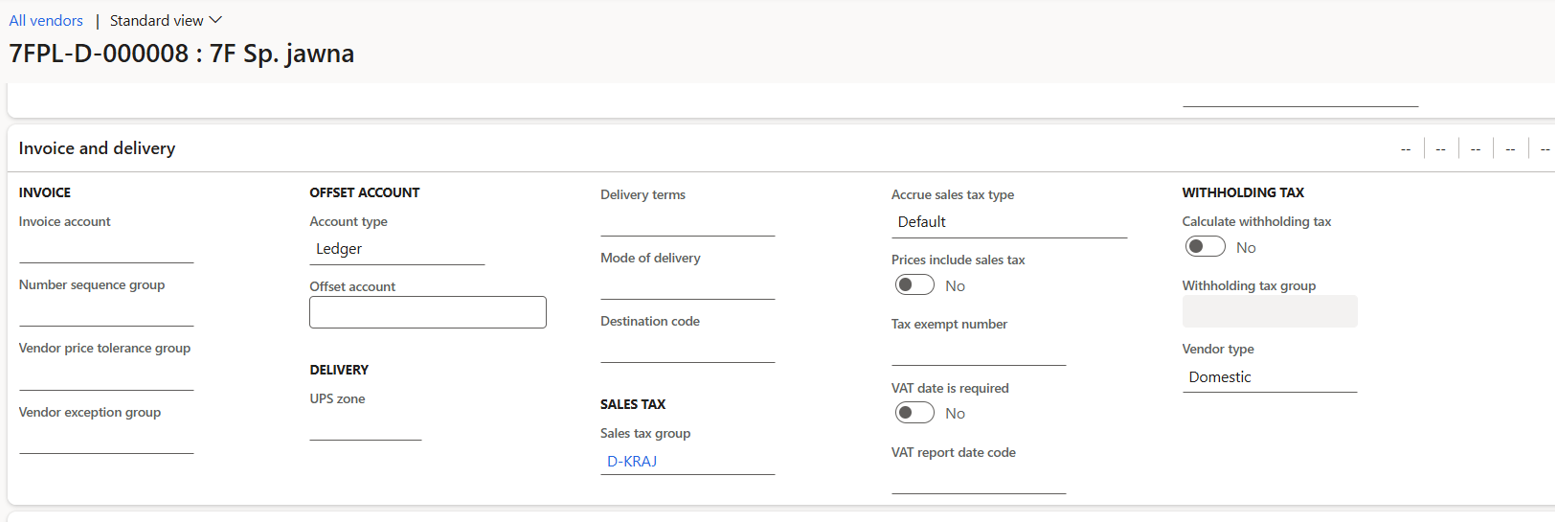
Created view:
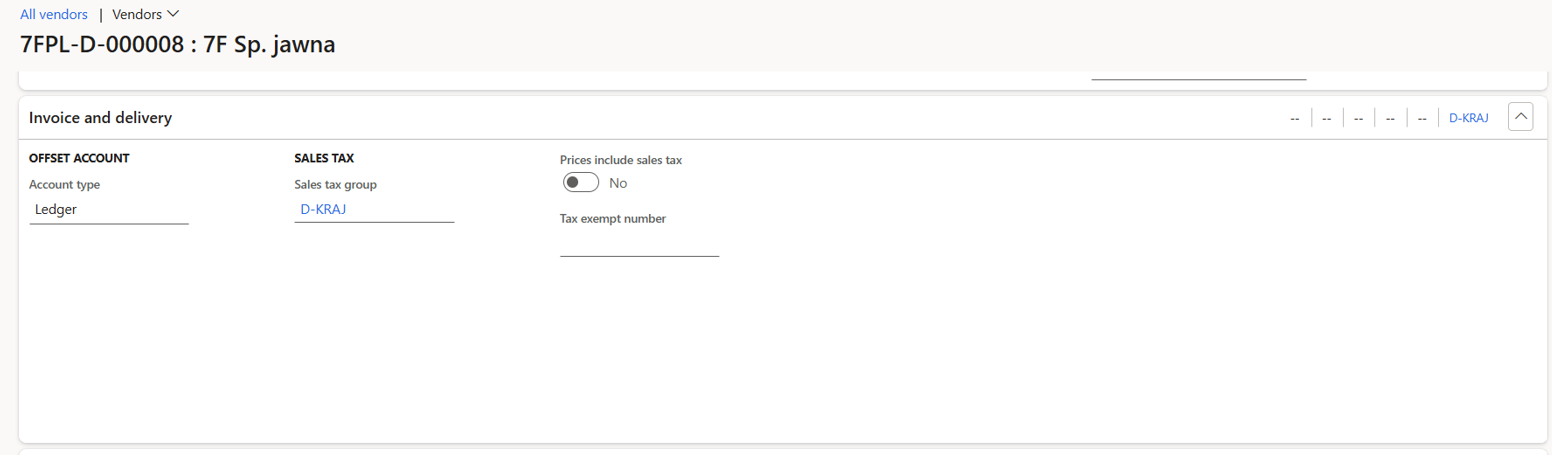
End result: faster, calmer, and more precise work.
2) Workspace personalization
A workspace in Dynamics 365 F&O is a page that gathers the most important elements of a user’s work in one place: tiles with key numbers, lists of records requiring attention, shortcuts to the most frequently performed actions, as well as charts and summaries. A workspace can be tailored to a role, a team, and even individual preferences. A purchasing department employee can have tiles showing the number of open purchase orders, a list of vendors requiring data updates, and shortcuts for creating new requests for quotation. An AP specialist might see overdue invoices, payments pending approval, and a list of data errors. Each workspace thus becomes a tool that reflects the real workflow.
Below you can compare two images of a workspace – before personalization and after tailoring it to a user’s role – to show what a huge difference organizing information makes.
Before personalization:
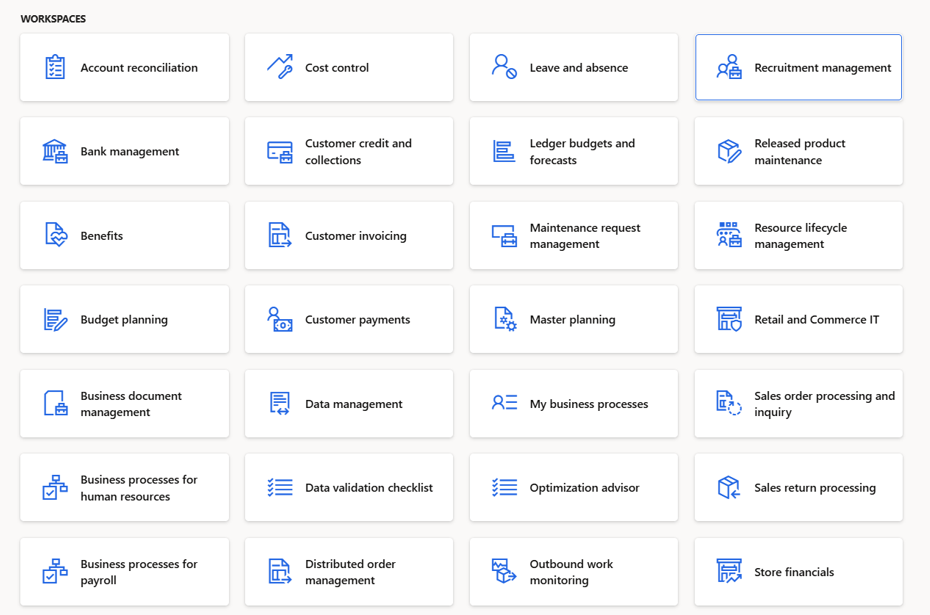
After personalization:

Summary
Personalizing the Dynamics 365 F&O interface is a way to create an environment where you see exactly the information you need, in a format that supports your daily tasks. When the screen is no longer overloaded with fields and tabs, and instead presents a clear, logical layout tailored to a role, work becomes smoother, faster, and more intuitive. Importantly, you can make all these changes yourself – without involving the IT department – so the system adapts to you, not the other way around.
Personalization is therefore not just an add-on, but the foundation of modern, ergonomic work in Dynamics 365 F&O.
Ready to unleash the full potential of your system?
Contact the experts at 7F Technology Partners. We will help you implement and configure the system so that from the very first click, it works towards the success of your business.

Edyta Ostrowska
D365 F&SCM Consultant